Your tasks. Your server.
Beautifully done.
mDone is a polished, native app for your self-hosted Vikunja server: a quick add that understands you, smart lists, Kanban boards, widgets, a focus timer, Siri hands-free and offline sync, with absolutely zero tracking.
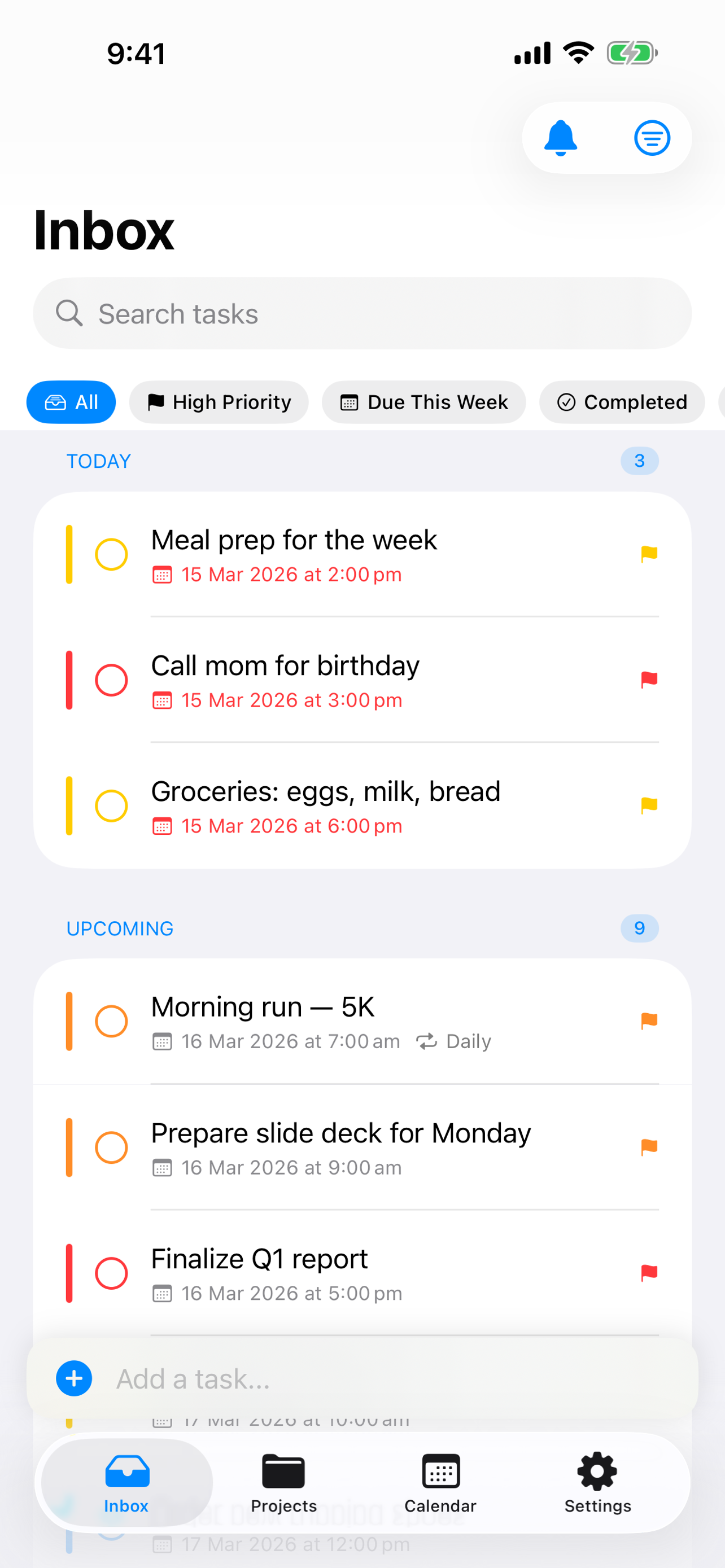
A focused home for the work that matters.
mDone brings your Vikunja tasks to life with the native iOS and macOS touches you'd expect, and nothing you wouldn't.
Quick Add That Understands You New
Type "Buy milk tomorrow at 5pm +Home !2" and mDone files it in Home, due tomorrow at five, priority 2. Each part shows as a chip before you add it, so nothing happens by surprise. Works in Siri and on the Mac too.
Smart Lists
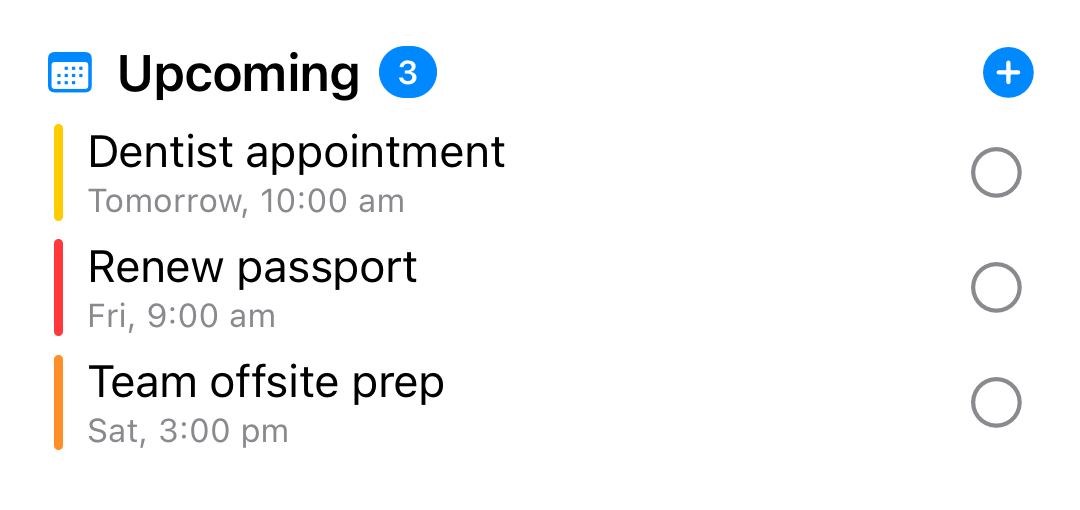
Today, Upcoming, and Overdue views organise everything automatically, repeating tasks included, so you always know what to focus on next.
Current
Pin long-running tasks to a section above Today, each with a progress bar and an idle nudge when one stalls, so slow-burn projects actually get finished.
Projects & Favorites
Nest projects inside projects, sort by date, priority or your own drag-and-drop order, and keep favourites one tap away.
Kanban Boards
Open any project as a board. Drag cards between columns and up and down them, in the same order Vikunja's web app shows.
Subtasks, Checklists & Labels
Break big tasks into subtasks, tick off checklists written in a description, and add or create labels without leaving the task.
Home & Lock Screen Widgets
Today's agenda, upcoming, and overdue, right on your home or lock screen. Customise size and content.
Siri, Hands-Free
Say "Add a task in mDone" and Siri asks what it is, adds it, and reads it back, without opening the app. Works in the car over CarPlay, on AirPods and on Apple Watch, even with no signal.
Focus Timer
Work through tasks with purpose. Live Activities keep the timer on your lock screen and Dynamic Island.
Calendar View
See your tasks across days and weeks. Spot the gaps, plan ahead, and keep your week in balance.
Offline Support
Tasks are cached locally so you can keep working without a connection. Changes sync when you're back online.
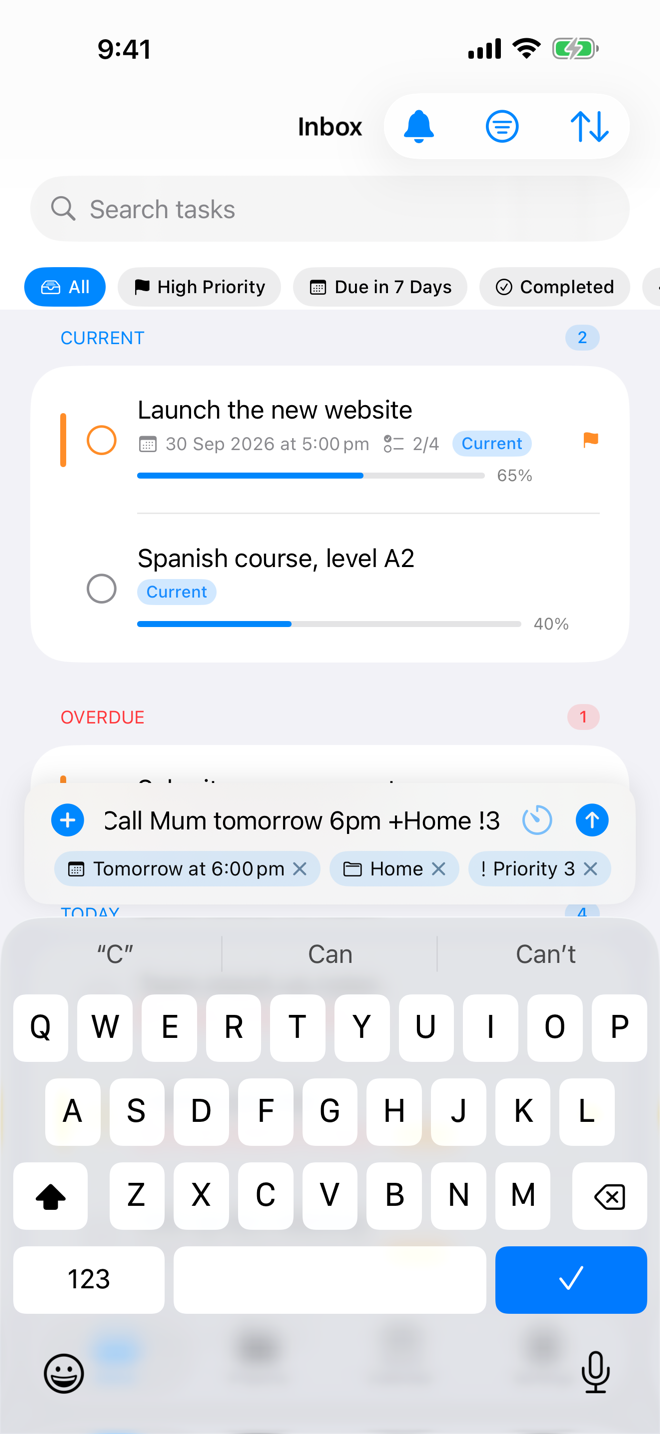
Type it the way you'd say it.
Write "Call Mum tomorrow 6pm +Home !3" and mDone pulls out the date, the project and the priority as you type, leaving just "Call Mum" as the title.
- Every part shows as a chip: tap its X to keep the words
- Dates and times, +projects, !priorities and *labels
- Understands 明天下午3点 as well as "next Friday"
Today, front and centre.
Open mDone and the right things are already in front of you. Smart lists pull your day together so nothing slips.
- Quick-add a task without leaving the list
- Swipe to complete, postpone, or reschedule
- Shake to undo an accidental completion
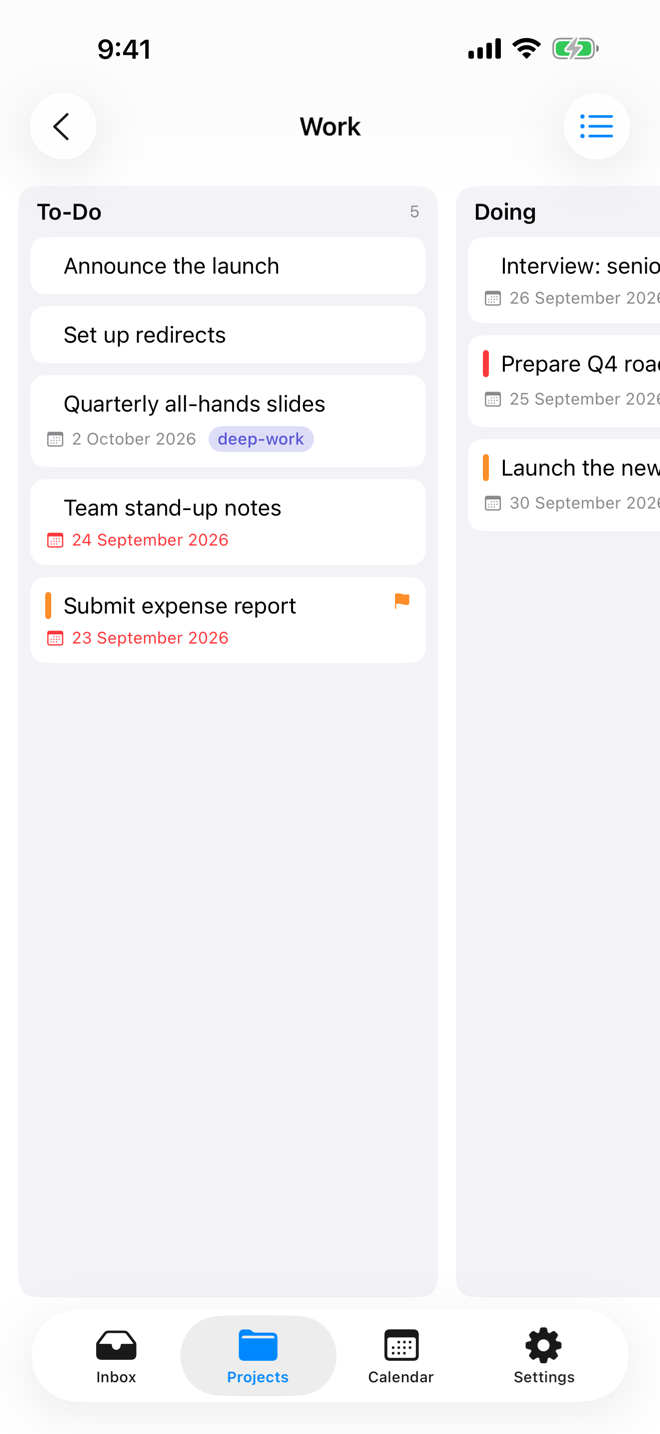
When a list isn't enough.
Flip any project to its Kanban board and drag work from column to column. It is the same board you see in Vikunja's web app, and mDone remembers which view each project opens in.
- Drag cards between columns, or reorder within one
- Due dates, labels and priorities on every card
- Filter-driven boards stay read-only, as on the web
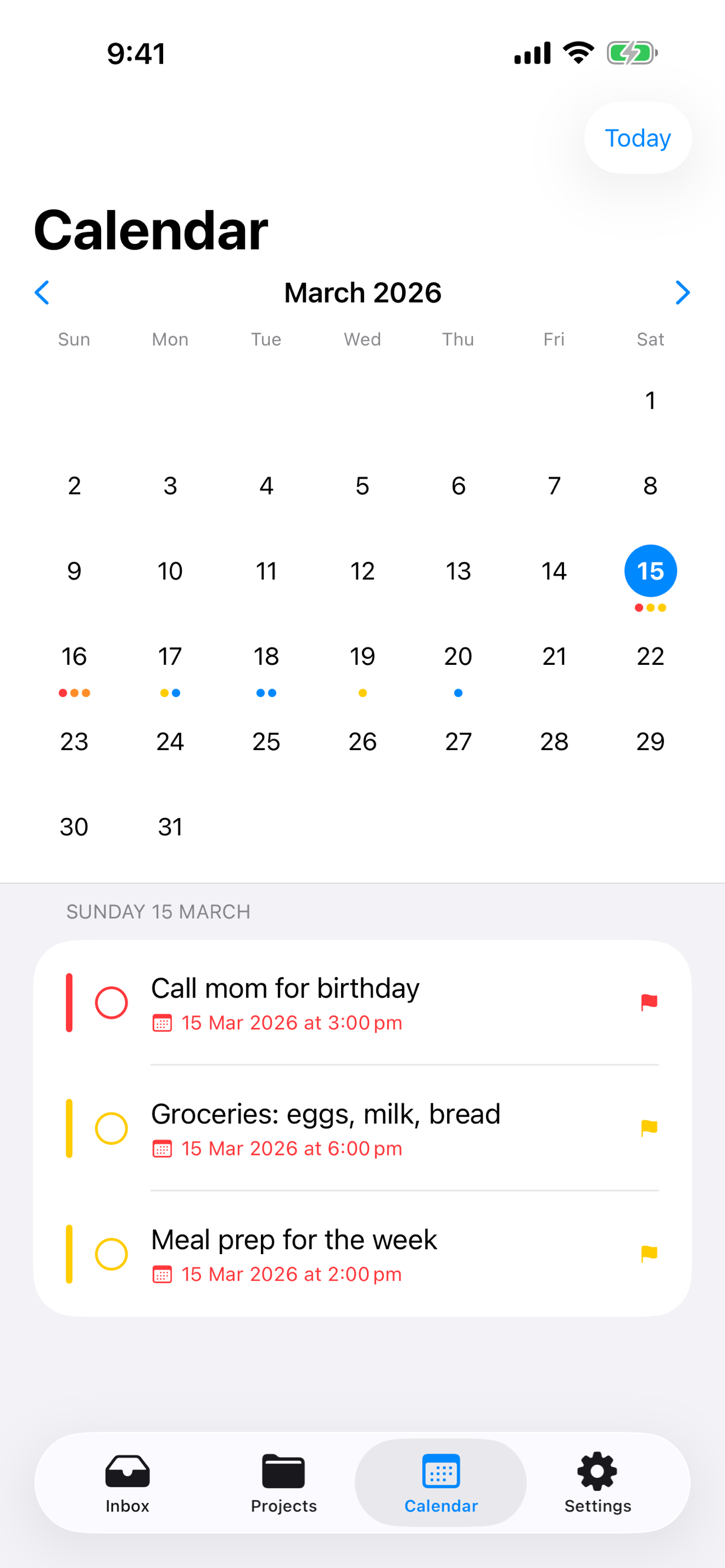
The shape of your time.
An integrated calendar lays your tasks out across days and weeks, and folds in your device calendar events so you see the whole picture.
- Tasks and calendar events, side by side
- Choose which calendars contribute
- Start the week on any day you like
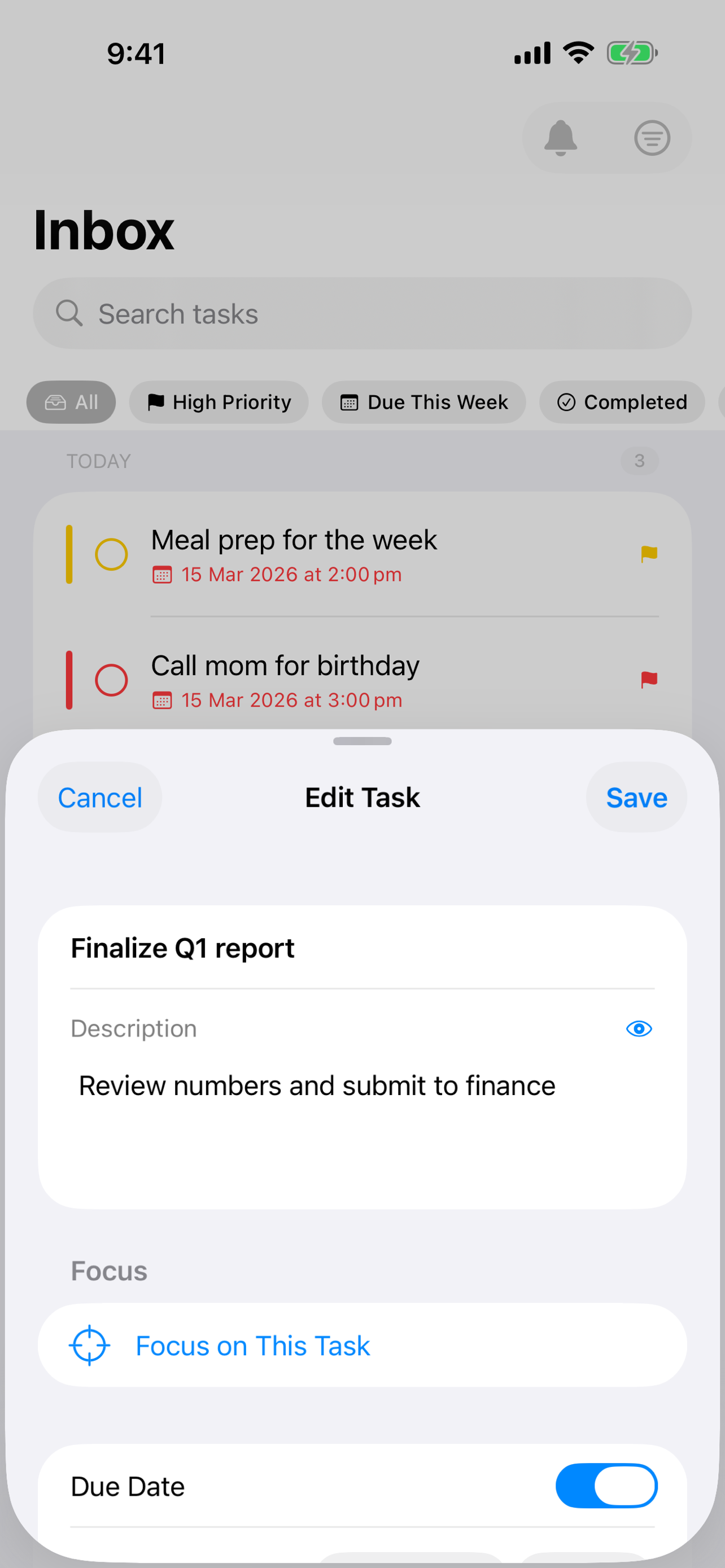
Rich tasks, one tap away.
Set due dates, priorities, repeats and labels, tick off a checklist in the description, and break the task into subtasks, in a detail view that feels native on every screen.
- Checklists you can tick, with a "2 of 4 done" bar
- Add a focus session right from a task
- Subtasks and linked tasks, nested in your lists
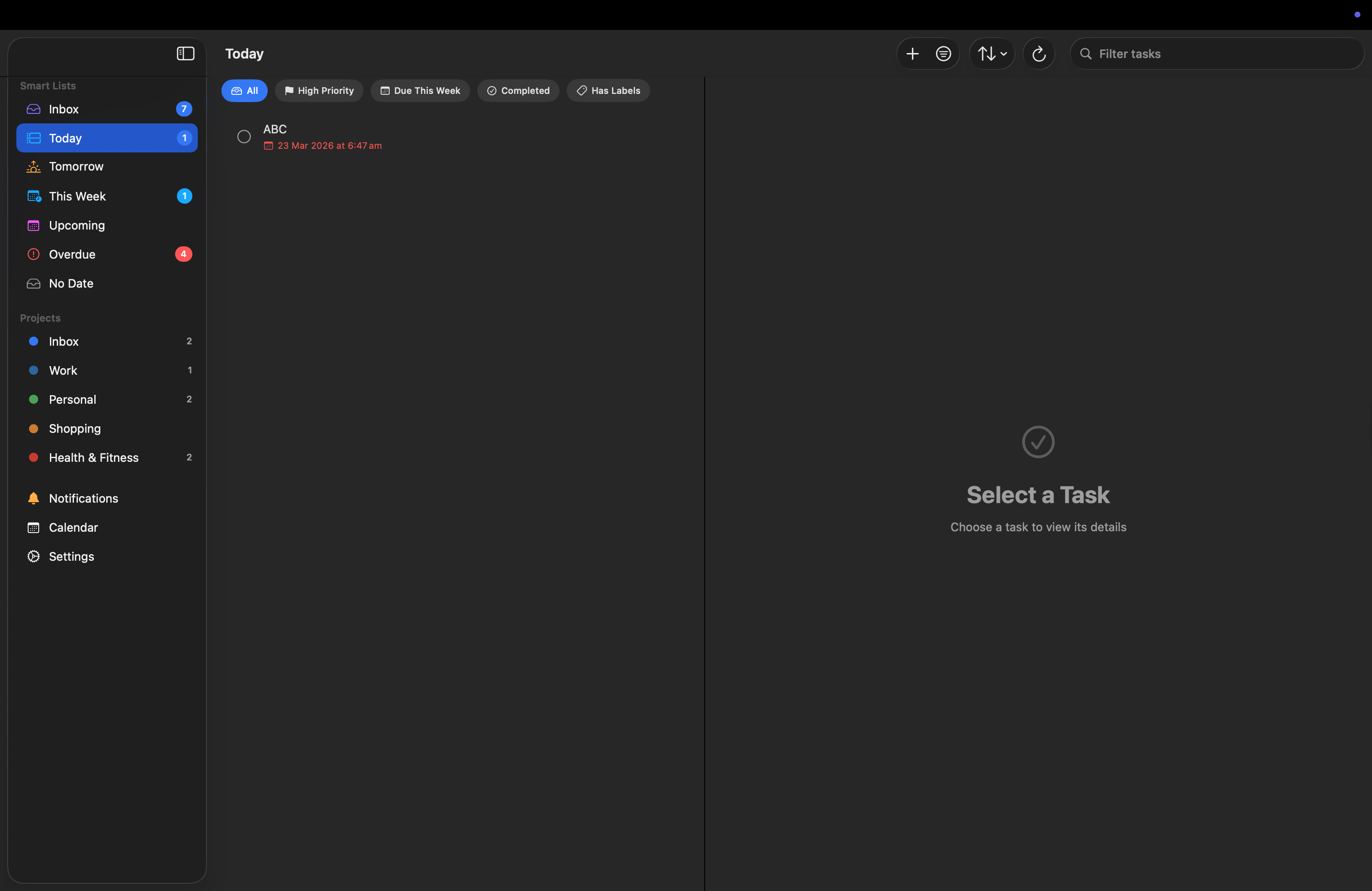
A real macOS app, not a port.
A proper sidebar layout, keyboard-friendly navigation, and the same data, synced through your own server. On iPad, tasks open right beside the list.
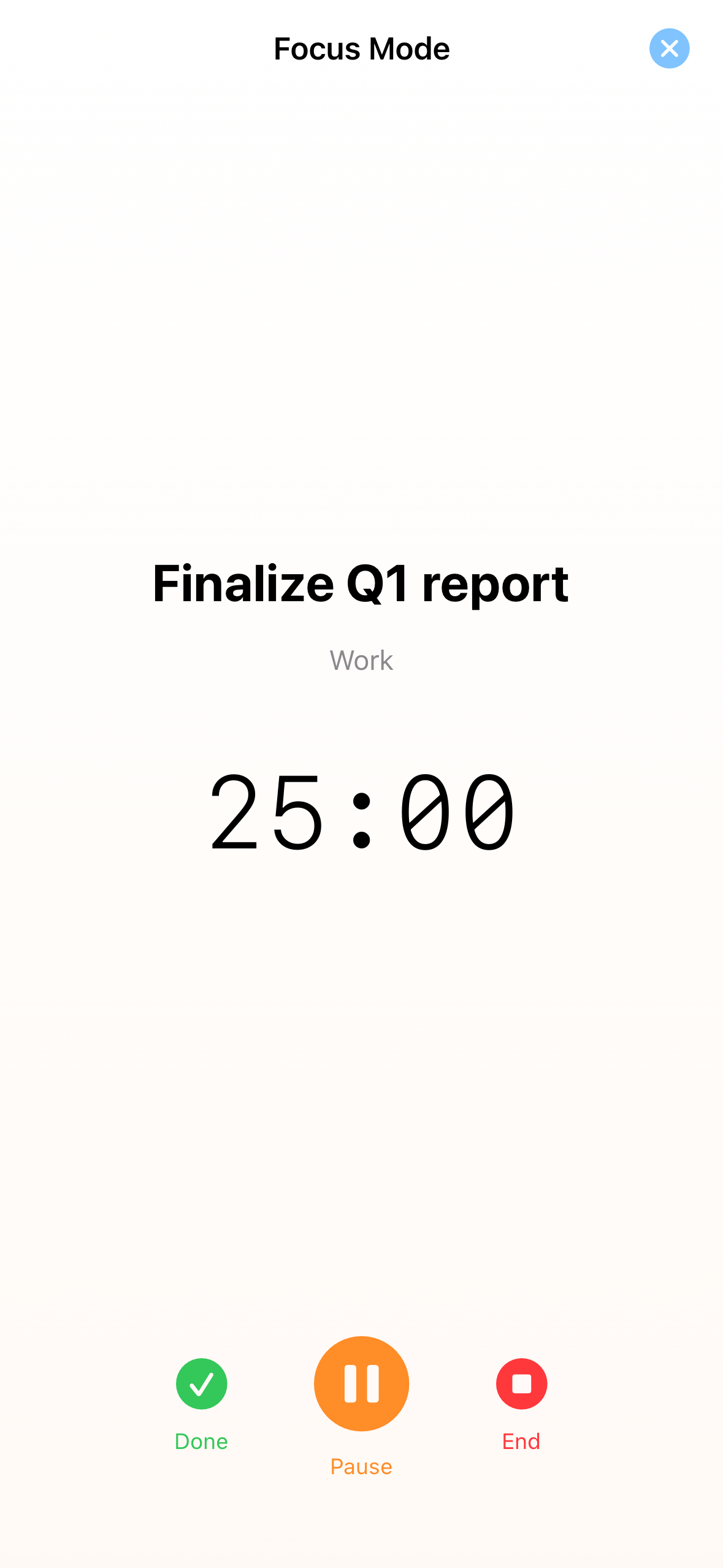
One task. The clock. Nothing else.
Start a focus session on any task and the rest fades away. A Live Activity keeps the timer on your Lock Screen and in the Dynamic Island, so you can set the phone down and keep going.
- Pause, resume, or finish without unlocking
- Live Activity on the Lock Screen and Dynamic Island
- Focus time and session counts saved per task
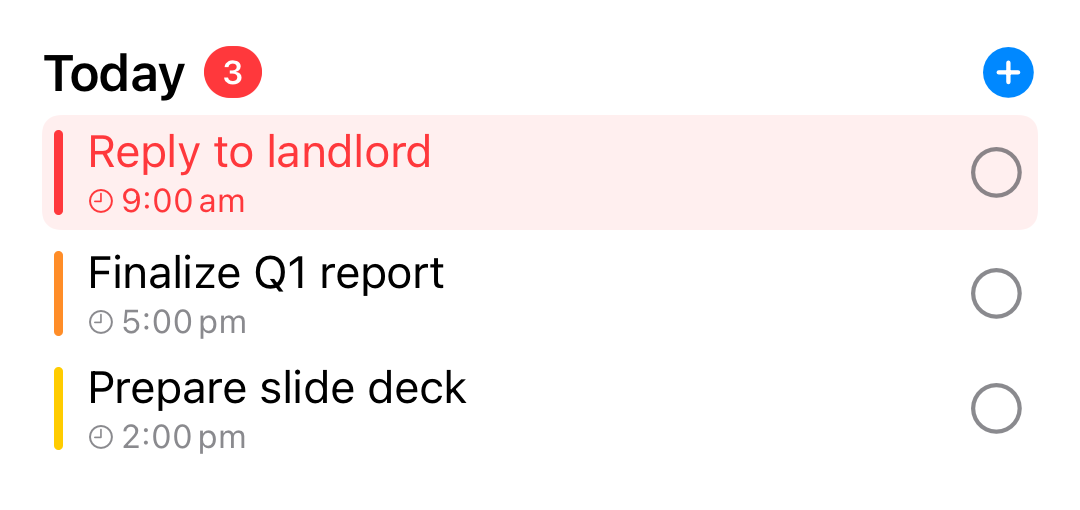
Your day, before you open the app.
Today, upcoming, and overdue right where you glance. Long-press to choose the size, what it shows, and the text scale.
It's the whole point.
Self-hosting means your data is yours. mDone respects that completely. It talks only to the Vikunja server you choose, and nothing else.
Zero analytics
No telemetry, no usage tracking, no "anonymous" data collection. None.
No third-party SDKs
Nothing bundled to phone home. Just your device and your server.
Credentials in the Keychain
Your token is stored securely on-device, never sent anywhere else.
Built in the open, MIT-licensed.
Pure Swift and SwiftUI, no external dependencies. Read the code, file an issue, or send a pull request. It's all on GitHub.
git clone https://github.com/marco308/mdone
Made by one person.
mDone is built and maintained by a single developer. If it earns a place on your home screen, a tip or sponsorship helps keep it going.
Bring your Vikunja to life.
Download mDone and connect to your server in seconds.
Requires iOS 18 / macOS 15 and your own Vikunja server.